Feed the Children Website Redesign
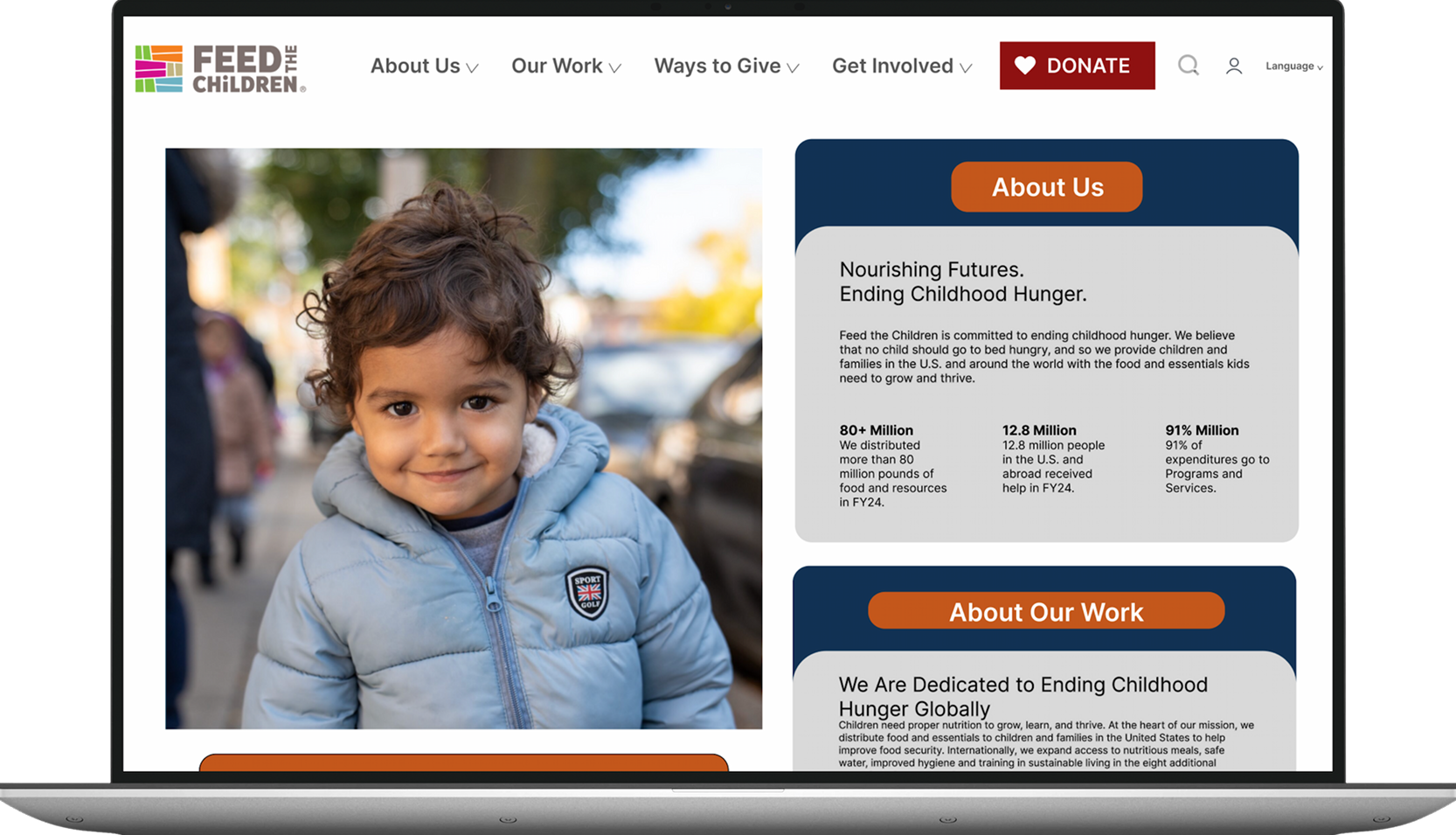
Creating an intuitive and accessible environment that fosters users' confidence and trust in the organization’s impact.
Project Details:
Timeline: 15 weeks
Type: Academic Conceptual Project
Tools: Figma · Survey Research · Zoom Usability Testing
Role: UX Researcher & Designer
Key Collaborators: Lauren Sass & Jazmine Bryant
How do we redesign the Feed the Children website so that a first-time visitor can confidently donate, find volunteer opportunities, and trust the organization — all without friction?
The Challenge
Feed the Children is a nonprofit organization dedicated to ending childhood hunger — but their website was creating friction at exactly the moment donors and volunteers were ready to get involved. Through a heuristic evaluation and user research with 23 survey respondents and 8 usability test participants, we found that 44% of users couldn't complete their goal on the site, and nearly 90% reported difficulty finding what they were looking for.
Research and Testing
Approach
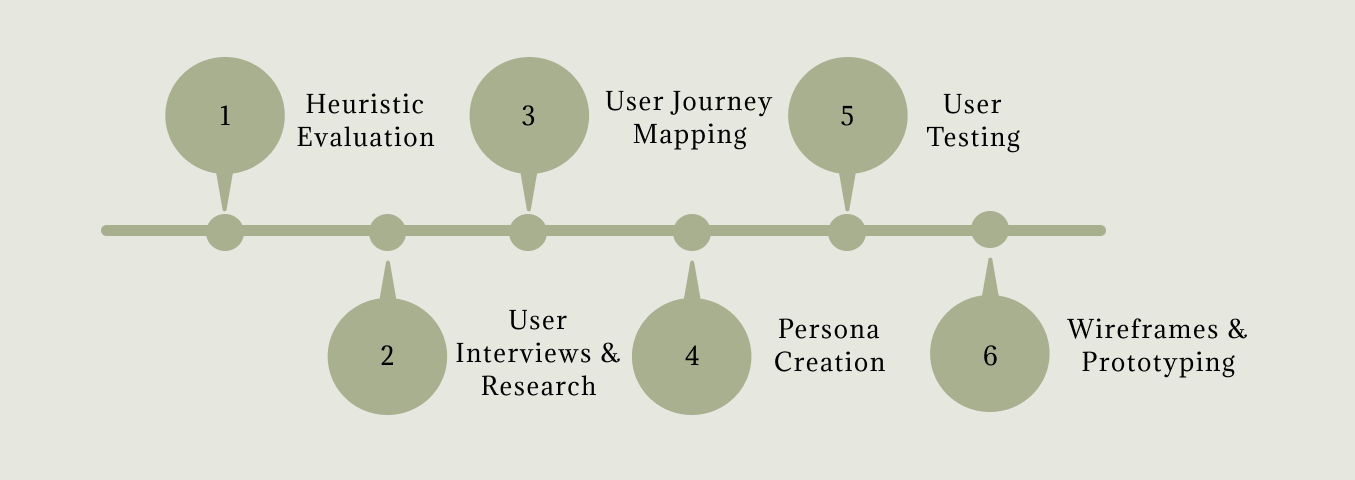
Heuristic Evaluation
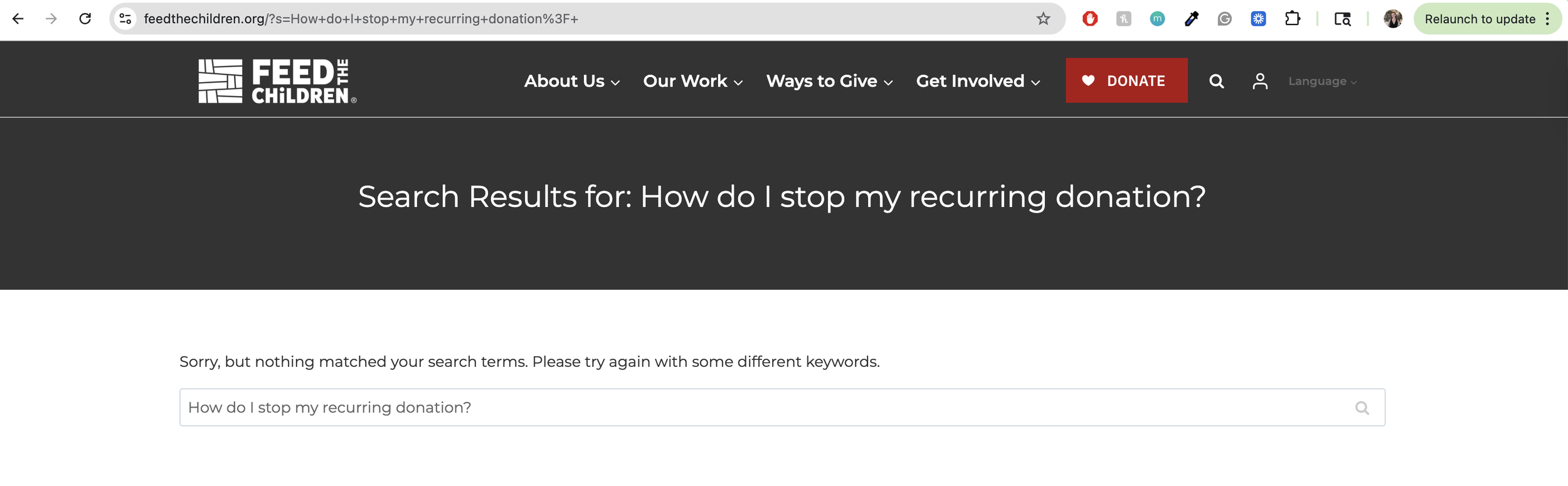
Heuristic Violated: Help and Documentation
Issue: There is not easily accessible FAQs for users that have questions about their donations or those who may need assistance if it is their first time donating.
Suggestions: Create an easily accessible FAQs section where users can see commonly asked questions regarding their donations or improve on their search engine to aid in answering users questions.
Recommendation: Update search engine functionality/ capability to pull relevant searched information
The website was evaluated using guided usability heuristic principles to identify key usability issues and uncover opportunities for improving clarity, efficiency, and overall user satisfaction. One violation found that was used in the redesign was regarding the search feature.
The heuristic evaluation gave us a structural map of the site's problems, but we needed to understand how real users felt navigating them. We conducted surveys with 23 participants to validate our findings and understand what donors and volunteers prioritize when they visit a nonprofit site.
User Interviews & Research
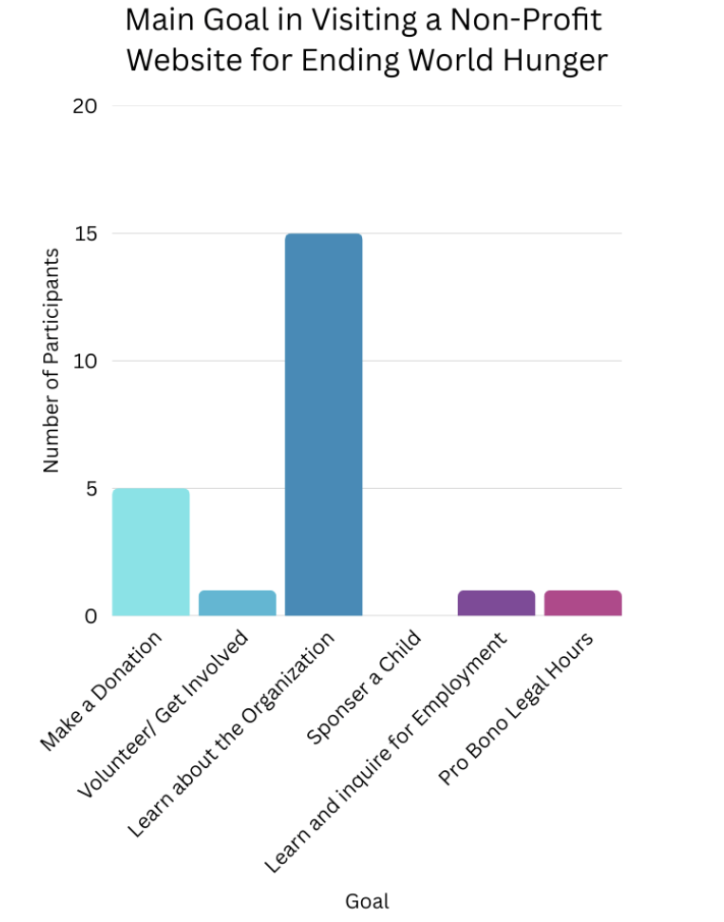
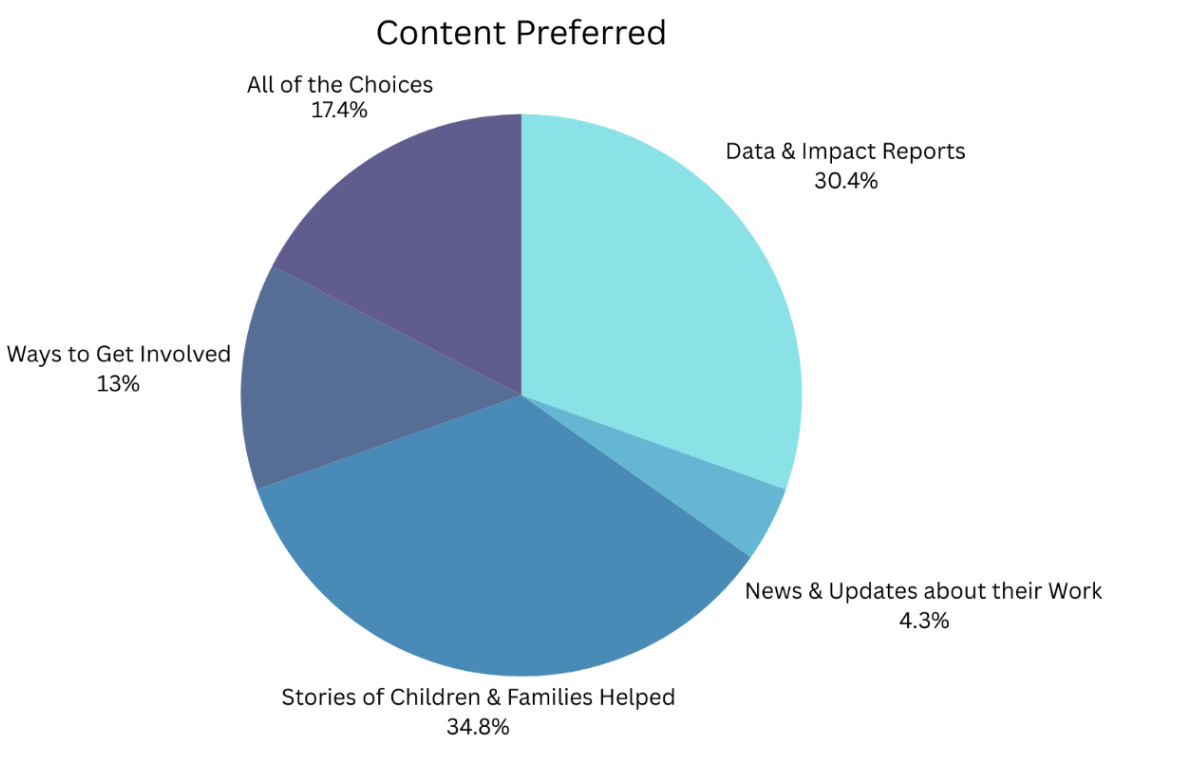
23 users participated in a survey
Surveys were conducted to better understand the needs of potential users on the website and organizations alike by gaining feedback on their current experiences.
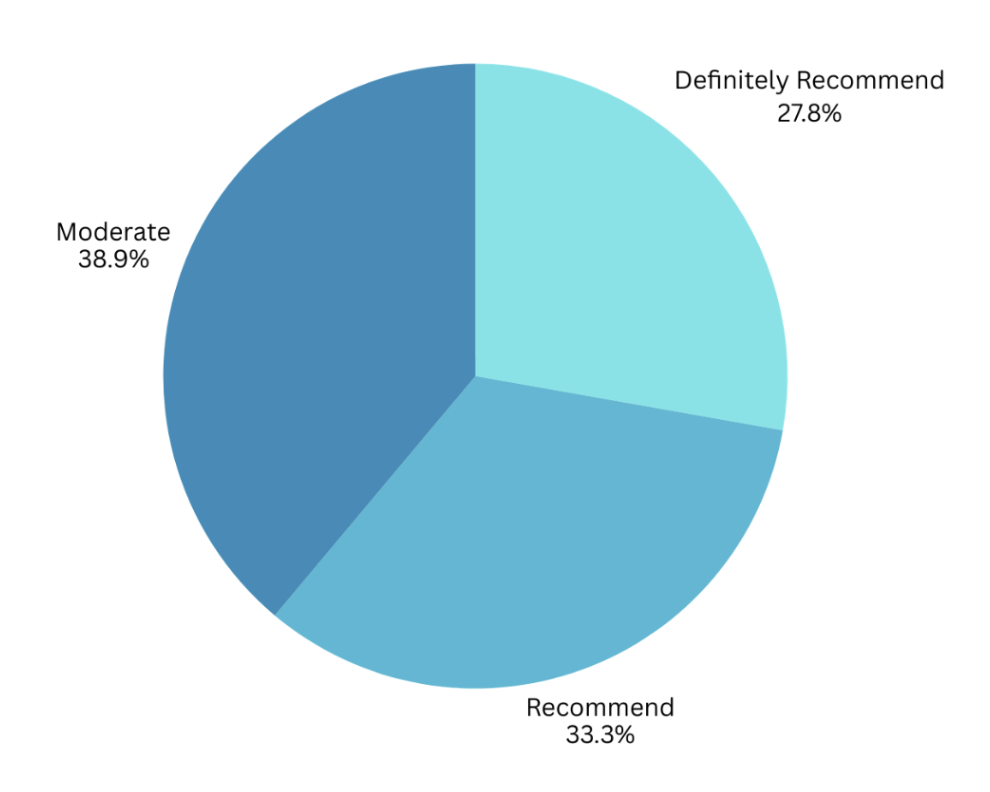
User Testing
Key Findings
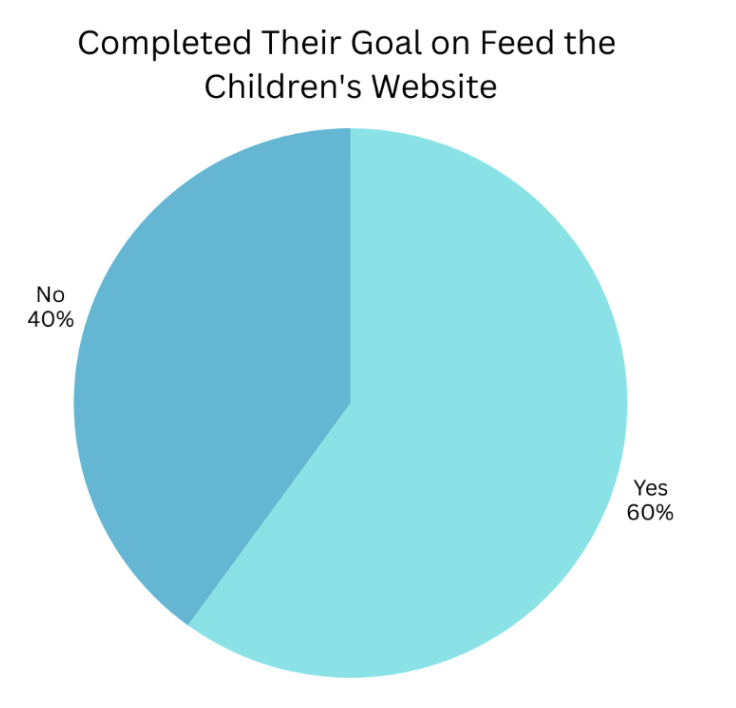
60% of participants completed their goal on the site.
70% of participants mentioned that they expect easy navigation on the site.
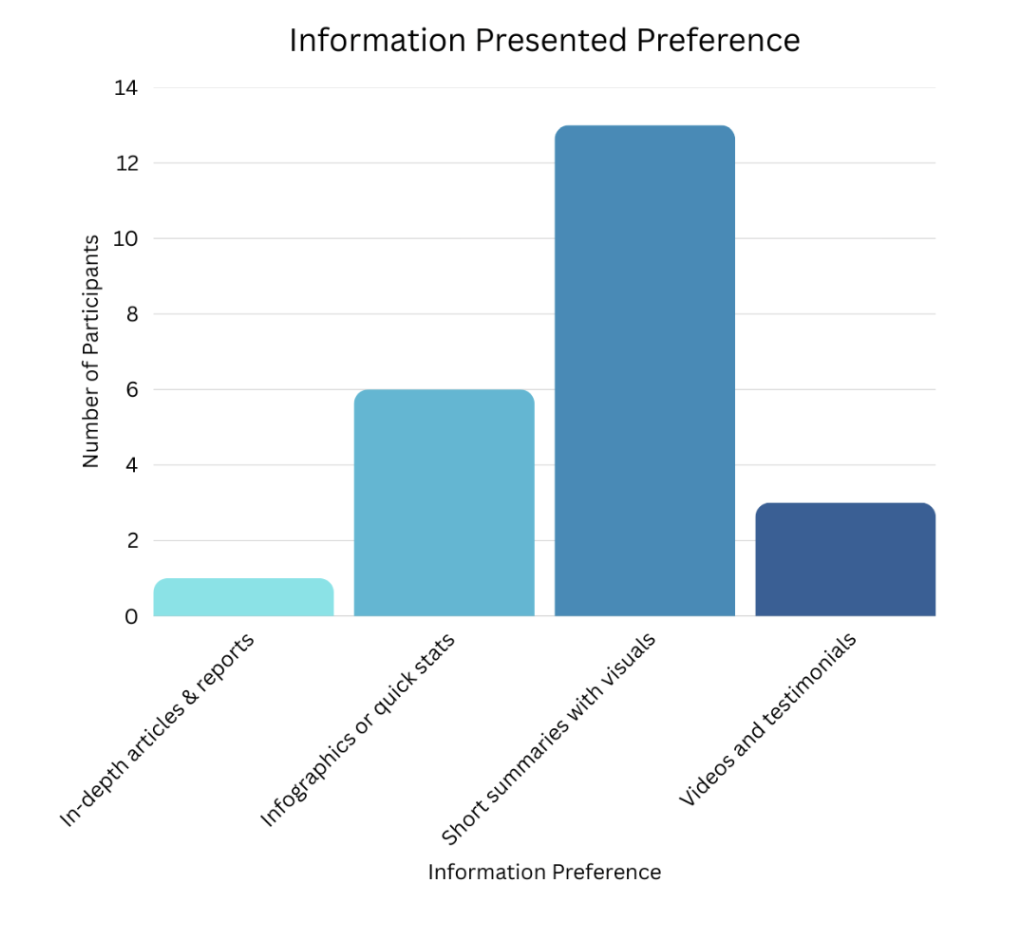
50% of participants prefer information presented as short summaries with visuals.
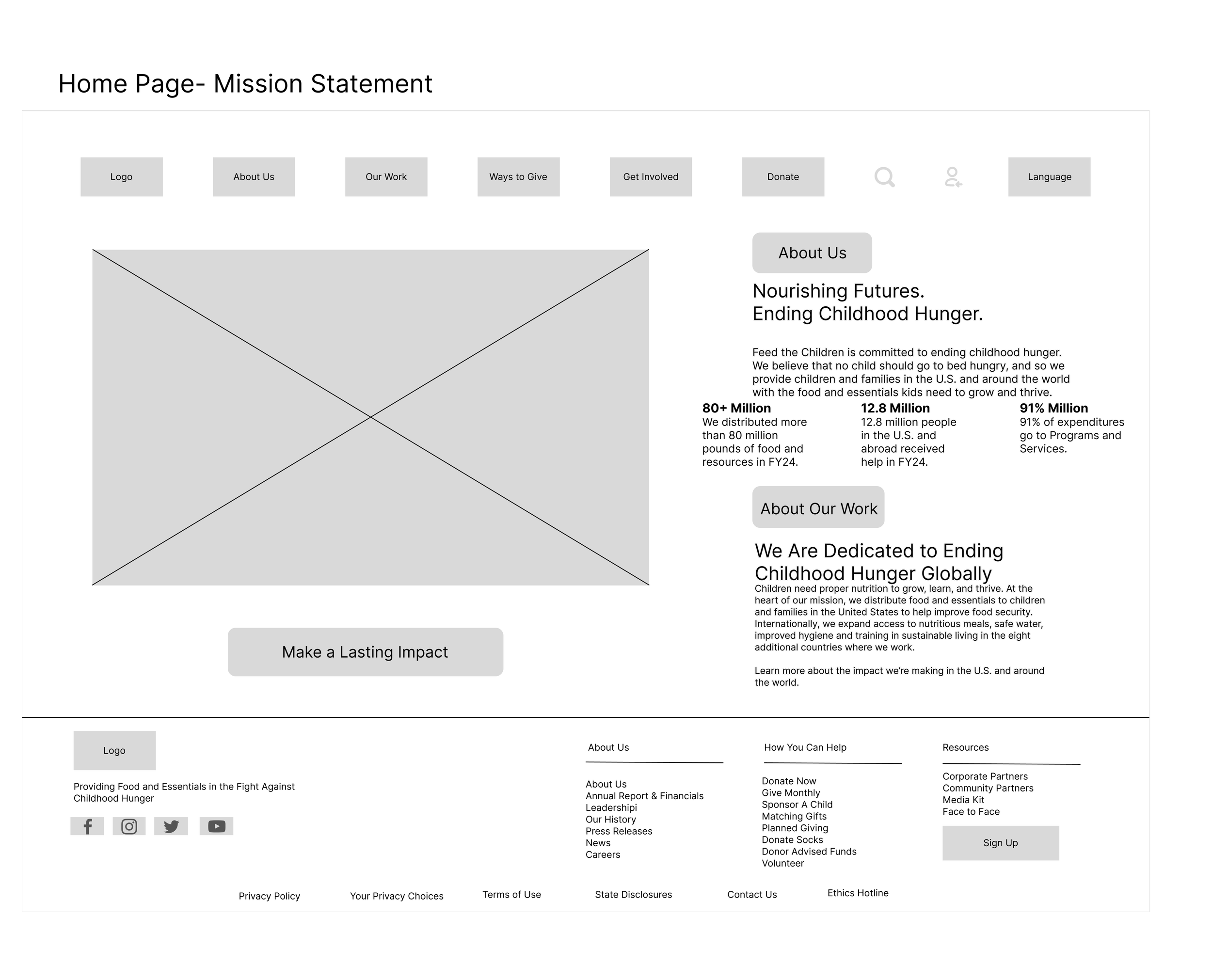
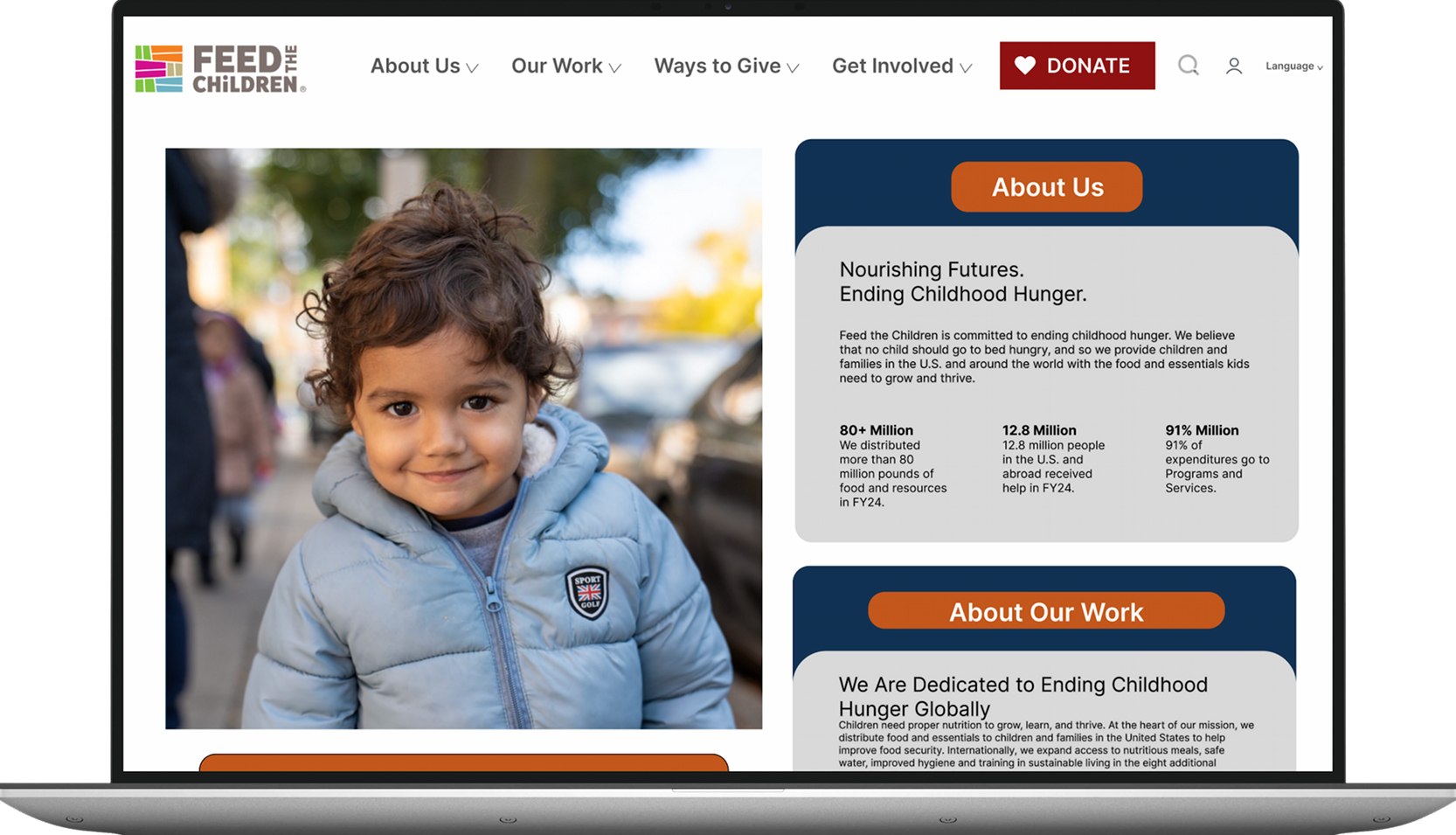
Redesign the homepage layout to prominently feature the organization’s mission and values, ensuring they are easily discoverable for users.
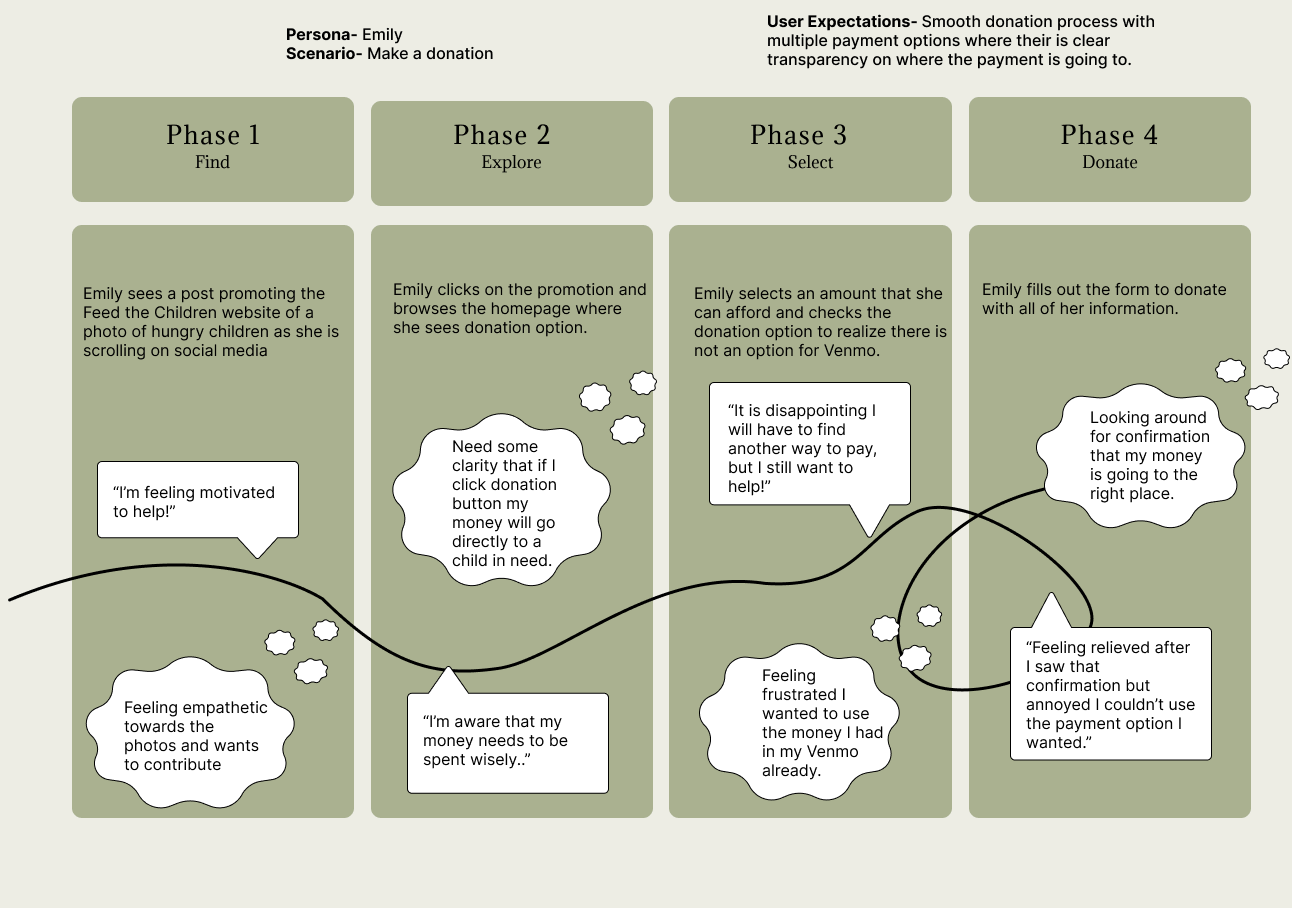
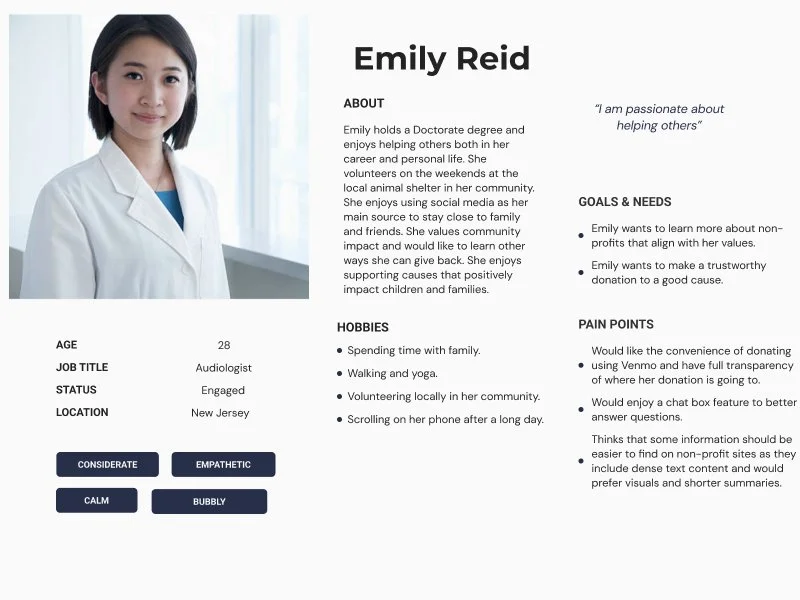
One finding stood out: 60% of users achieved their goals on the site, but a lack of transparency about fund use and confusing navigation prevented others from doing so. We mapped Emily's journey from our survey participants to identify exactly where trust broke down and where the experience could be improved.
Personas
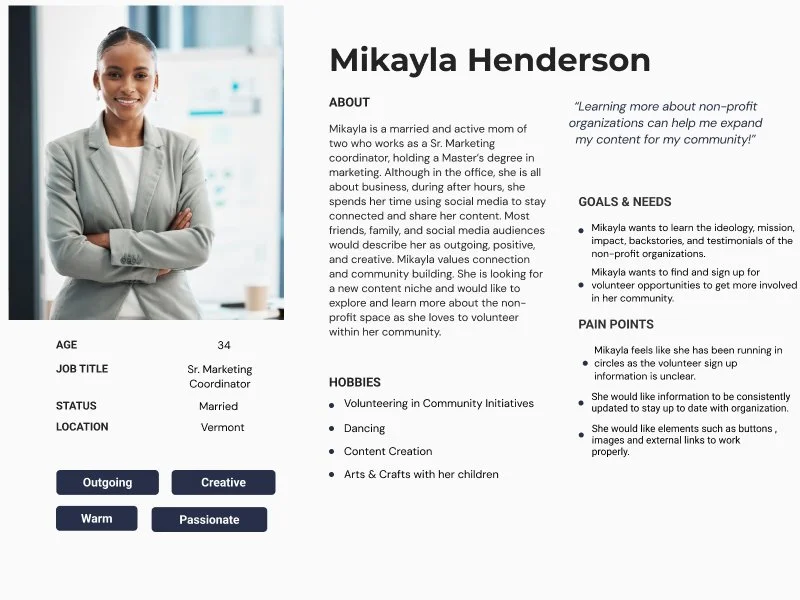
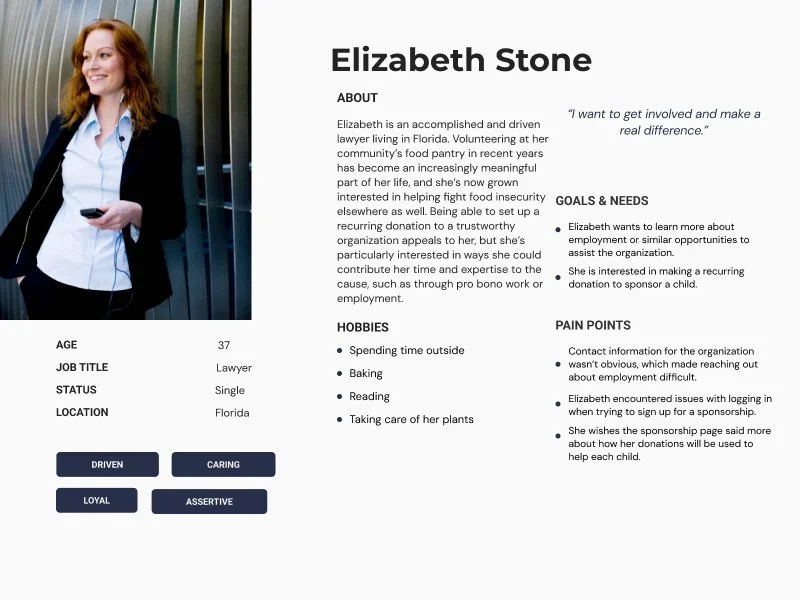
Three personas were created to represent specific groups of users with different demographic backgrounds, goals, frustrations, motivations, and pain points.
User Journey
This user journey follows Emily, a potential donor, as she moves from discovering the site on social media to completing a donation. Initially motivated by empathy, she becomes more cautious as she explores the website, seeking clarity on how her contribution will be used. Her experience highlights key opportunities for improvement: clearer transparency about fund allocation and more flexible payment methods to create a smoother, more satisfying donation process.
Wireframes & Prototyping
High-Fidelity Wireframes
Prototype
Reflection
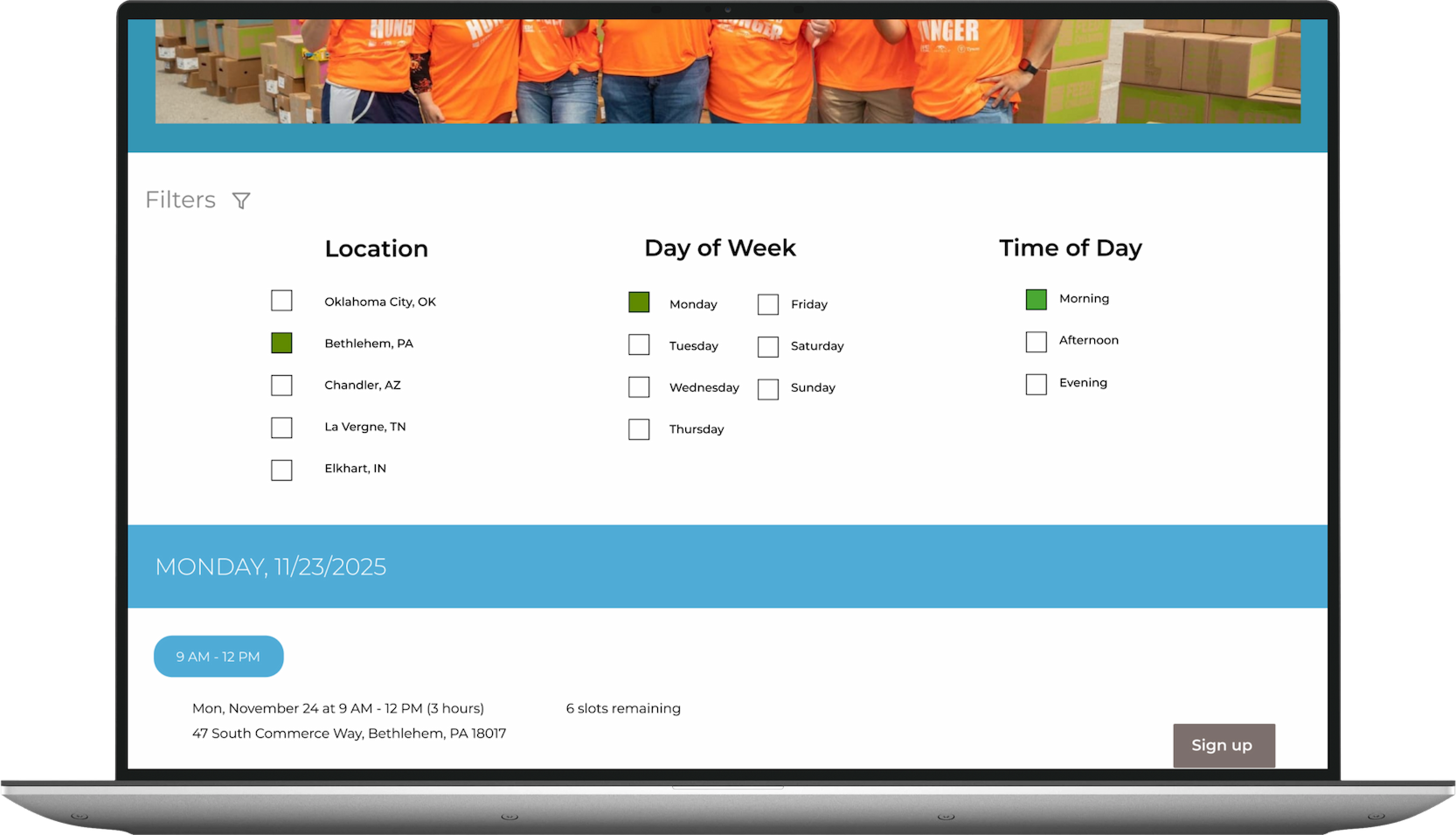
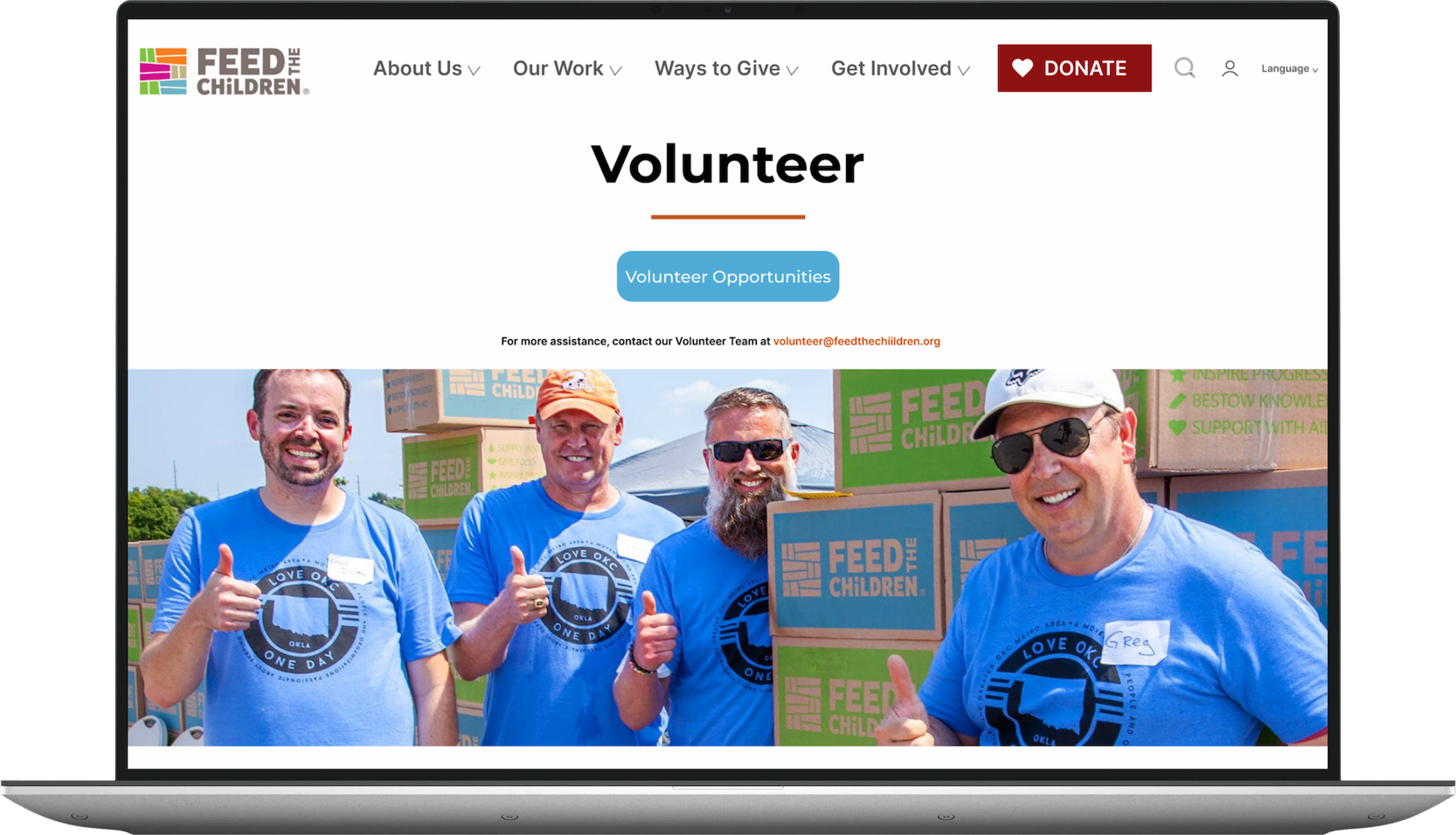
By increasing the visibility of volunteer opportunities, presenting essential information in a clear and intuitive way, and improving the search experience for quicker and more accurate results, the website becomes a more reliable and user-friendly resource. These improvements not only build trust with supporters but also encourage deeper engagement and long-term involvement.
This project taught me that usability problems are rarely about design preferences, but rather usually about broken trust. When 44% of our participants found the Feed the Children website untrustworthy, it was because users couldn't find answers to basic questions like "where does my donation go?" That insight reshaped how I approach every design decision: transparency and findability create the foundation.
If I had more time, I would conduct a second round of usability testing on the redesigned prototype to validate whether our changes actually moved the needle on task completion rates. I'd also explore the donation flow itself more deeply, considering our research surfaced that users wanted more flexible payment options, but our redesign focused primarily on navigation and information architecture.
Working with a collaborator over 15 weeks also reinforced how important early alignment is. What was originally a 3-person project turned into only 2, and we quickly learned that the why behind a design decision matters as much as the decision itself, as well as how to adjust project responsibilities amongst ourselves.
Low-fidelity wireframes were developed to visualize proposed design concepts and outline potential solutions to the identified usability issues. These wireframes helped refine layout, functionality, and user flows before moving into final design.
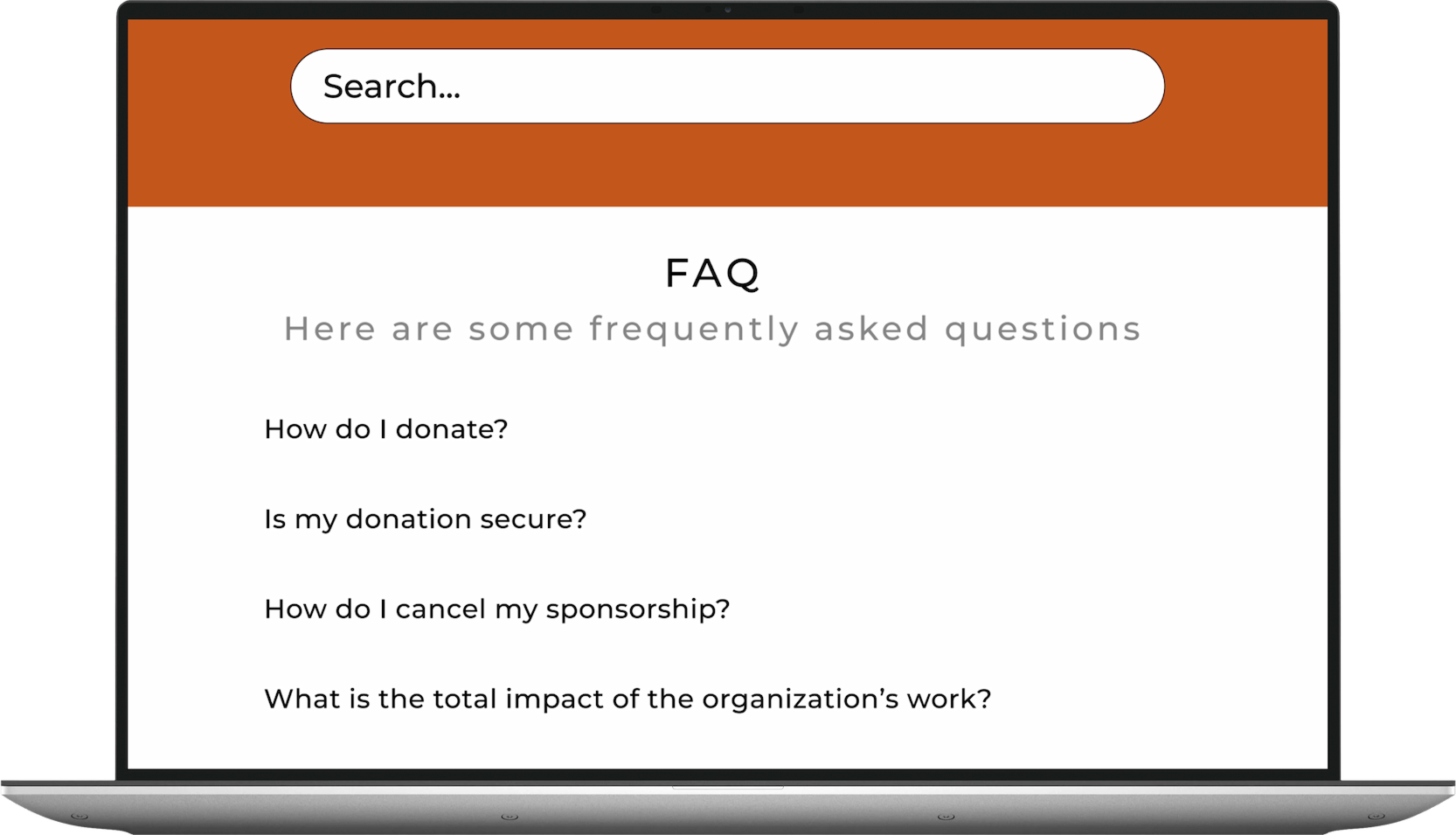
Enhance the search experience by refining the page’s visual design and incorporating a dedicated FAQ section to support users in finding relevant information more efficiently.
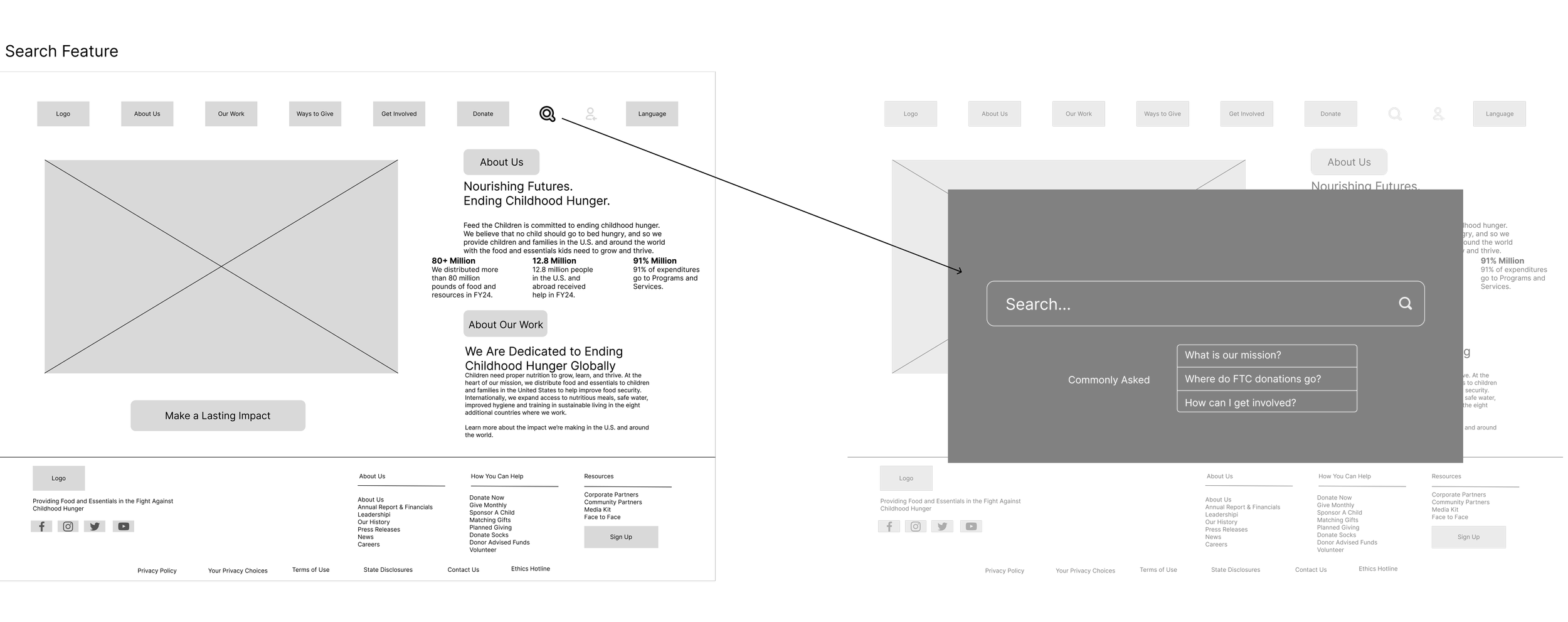
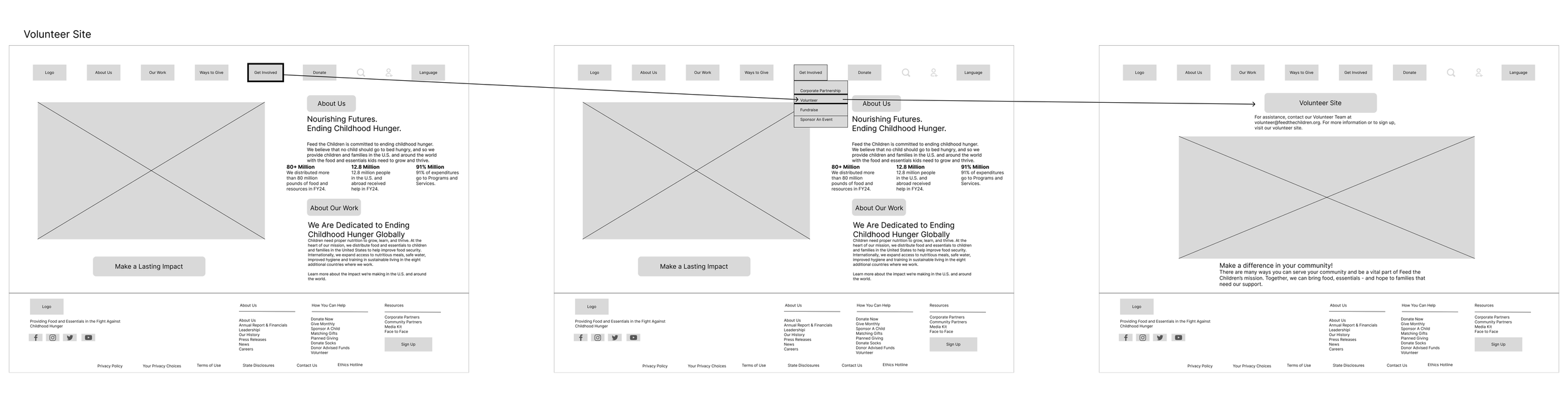
These redesigns streamline access to key information and make it easier for users to navigate the site, ultimately improving usability, time on site, and potentially reducing bounce rates.
Key Insights
44.4% of participants stated it was difficult to find what they were looking for.
66.7% of participants reported finding confusing terms, labels, & buttons.
44.4% of participants found the website trustworthy.
7 out of 10 participants found difficulty finding the volunteer hyperlink on the volunteer page.
44.4% of participants found it difficult to find what they were looking for on the website.
Blocker Issues Found:
A participant was unable to find a hyperlink to get to volunteer opportunities because it did not look like a clickable button.
The search feature is not yielding relevant data, and it also takes up the whole screen and doesn't look trustworthy.
Participants had a difficult time finding the relevant mission statement and important information because it was not seen on the front page, since the page is full of just a child's photo, and you have to scroll or look under other tabs.
Three blockers emerged from usability testing that directly shaped our redesign decisions. A volunteer hyperlink that didn't look clickable, a broken search experience that dominated the screen, and a homepage that buried the mission below the fold — these weren't aesthetic problems, they were trust problems. Every wireframe decision we made was in direct response to one of these three issues.
Design
An evaluation of qualitative and quantitative data by observing users perform tasks on the website.
Nature of Research
8 total participants
Test conducted via Zoom (virtual) and in person
Participants provided consent to record their screen and audio while using the website
Participants recruited from researcher’s professional and personal networks
Elevate the visibility of the volunteer call-to-action by converting the existing hyperlink into a clearly identifiable button and placing it in a more prominent location to improve access to the volunteer page.